
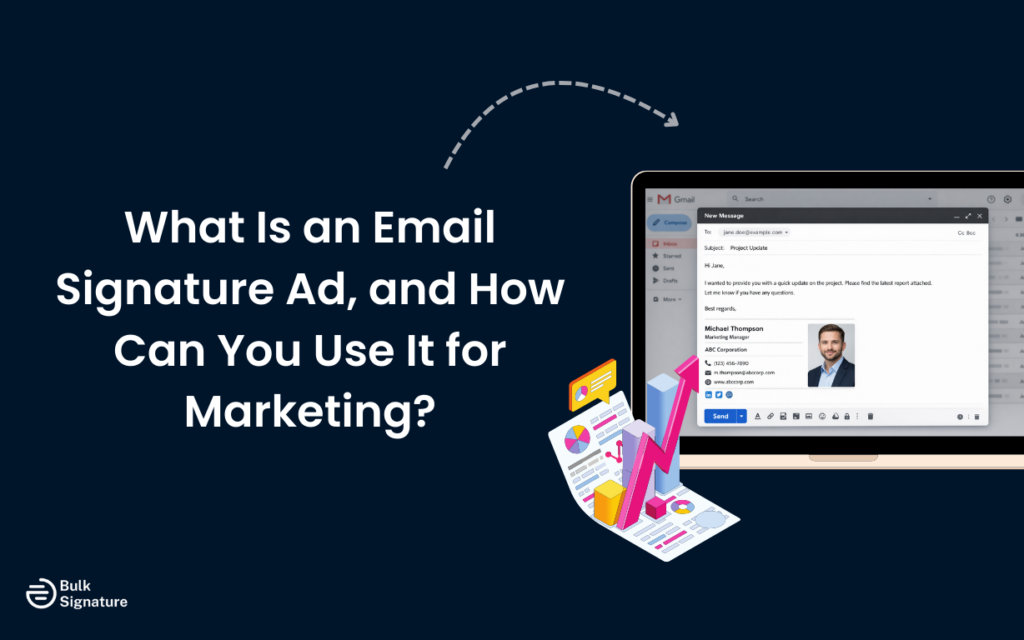
You probably send (or receive) dozens of emails every day. And chances are, you scroll right past the email signature without a second thought… unless it has a pop of color with a branded banner or a helpful link.
This is exactly what email signature ads do. They help turn the most overlooked part of an email into a subtle (but powerful) marketing channel that promotes your brand, content, upcoming events, and offers. And the best part? It does this without adding another campaign email to someone’s already crowded inbox.
So if you’re looking for a smarter way to get more visibility from emails you’re already sending, read on for a full breakdown of what an email signature ad is, why they can be so effective, and how you can start using them to support your marketing goals. We’ll also throw in a few different email signature templates and examples for inspiration.
What Is an Email Signature Ad?
An email signature ad is a small promotional element placed within the email signature block, typically below the sender’s contact information.
They can take any form, but they often look like:
- A banner image or image icon
- A brief marketing message or headline
- A direct link or call to action button
- Social media icons linking to active social media channels
Because the same banner appears across every email a person (or an entire team) sends, they help spread awareness and keep key campaigns visible, without disrupting the main content of the email.
5 Common Types of Email Signature Ads
Email signature ads can support a wide range of marketing goals; it all depends on how they’re designed and used. Here are just a few of the most common email signature banner examples and ads you’ll find out in the wild.
Short-term or Seasonal Promotional Banner Ads
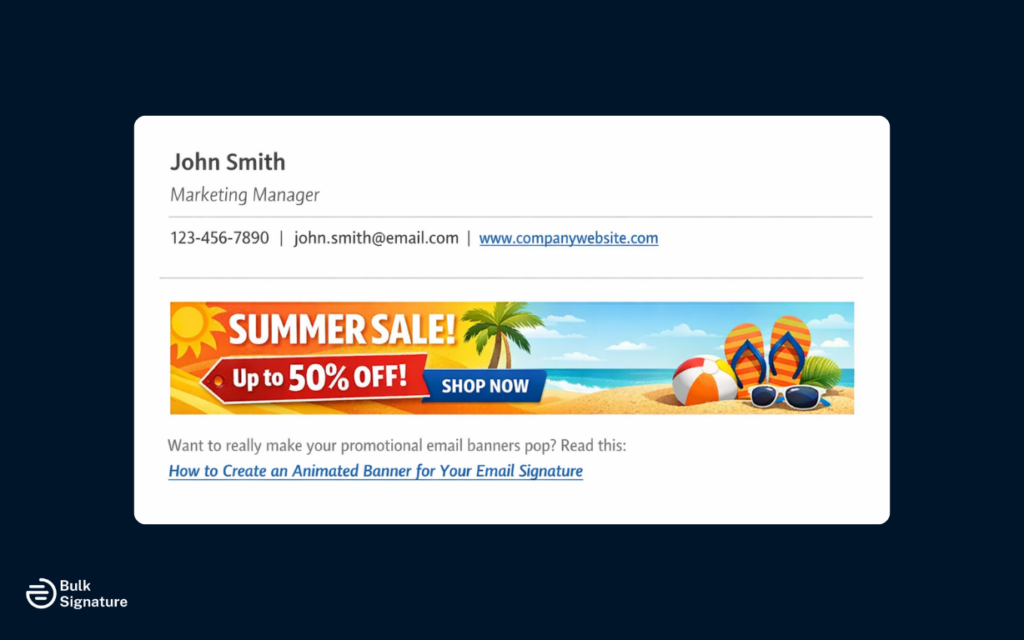
Promotional email signature banners are the most common type of email signature ad. They usually appear as a small banner image below the sender’s contact details and are designed to catch the attention of direct recipients without distracting from the email itself.
These banners are often used to promote:
- New product or feature announcements
- Seasonal campaigns
- Limited-time offers or promotions
- Content launches, guides, or resources
- Brand awareness campaigns
Because the same banner appears in every email message sent, recipients see the message repeatedly throughout normal communication. This helps maintain consistent brand visibility without interrupting conversations or overwhelming inboxes.
Want to really make your promotional email banners pop? Read this: How to Create an Animated Banner for Your Email Signature.
Sales and Lead-Focused CTAs

Sales teams often use email signature ads to support outreach and follow-ups with potential clients throughout the sales process. These ads usually include a clear call to action (such as a button or link) that directs recipients to a relevant landing page.
Common goals include:
- Encouraging demo requests to generate leads
- Driving sign-ups or inquiries
- Supporting account-based sales efforts
Because the ad appears naturally within one-to-one communication, it reinforces the message at different stages of the sales process, without putting too much pressure on the potential customer.
Informational and Brand Support Banners
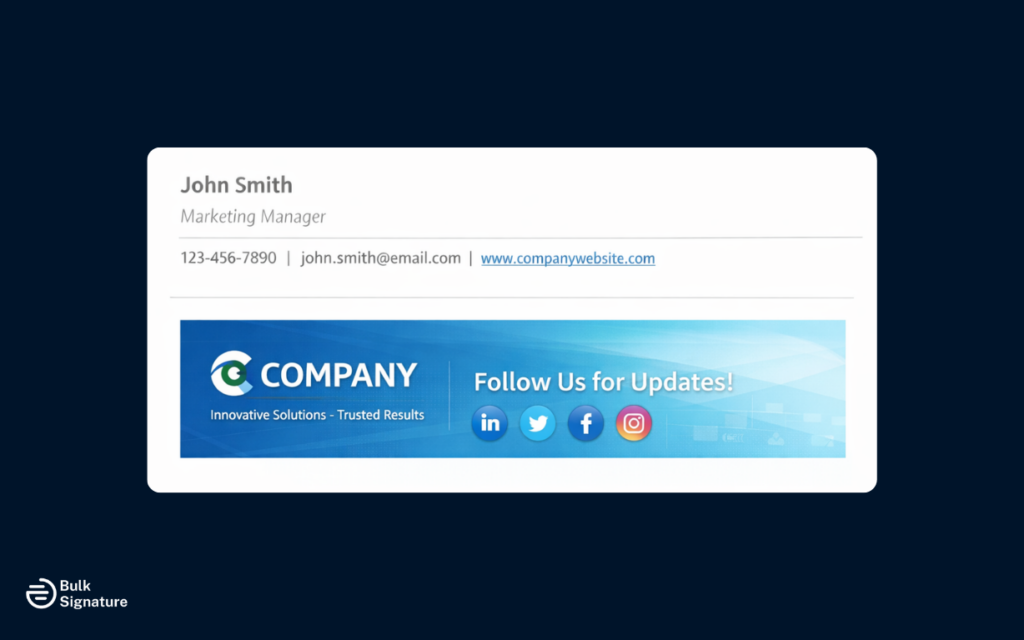
Not every email signature ad needs to sell something. Some are simply designed to reinforce your brand identity or share helpful, relevant information.
For example, branded email signature banners can:
- Highlight company values or certifications.
- Promote social media channels.
- Raise awareness for internal events with external partners.
These banners help companies maintain a polished, professional image while still giving email recipients something useful to engage with.
Content and Social Media Channel Blurbs
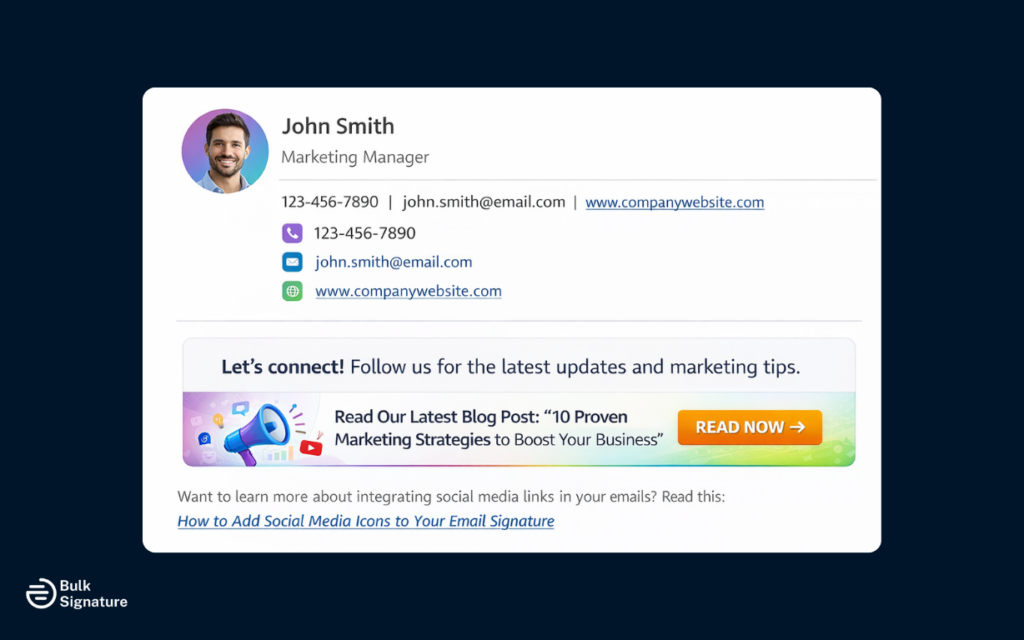
Email signature banners can also be used to gently guide recipients toward your content or social media channels. This is especially helpful if your goal is long-term engagement rather than an immediate click.
Here are just a few ways you can highlight your content:
- Include social media icons with social media links.
- Write a short line encouraging recipients to follow or connect with you.
- Highlight a specific piece of content, such as a blog post, guide, or video, that’s relevant to your audience.
These types of blurbs can help draw attention to other marketing or communications channels in a way that feels natural, not pushy.
Want to learn more about integrating social media links in your emails? Read this: How to Add Social Media Icons to Your Email Signature
Customer Support and Resource CTAs
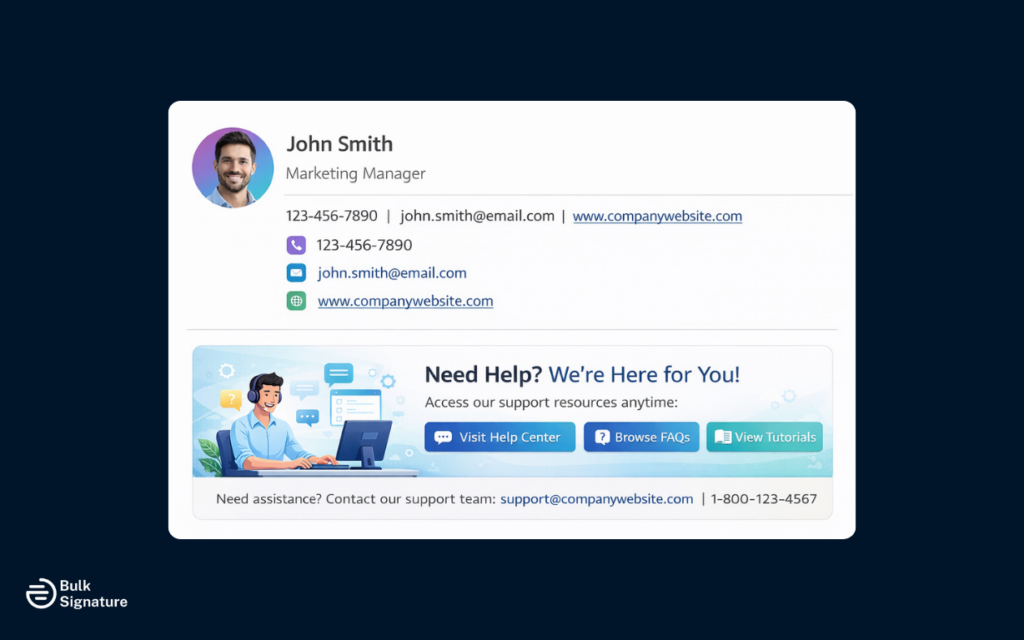
Email banners can also help drive engagement with existing clients and customers. Here, it’s all about sharing helpful information rather than pushing for a sale or upgrade.
Common examples include:
- Links to help centers, FAQs, or documentation
- Updates about service changes or scheduled maintenance
- Customer-only event details or webinars
This approach keeps communication professional, while still providing value and driving engagement.
8 Best Practices for Designing Company Email Signature Banners
Ready to up your email signature marketing game? Here are a few best practices to keep in mind when designing your email signature banners and ads.
Email Signature Banner Design Best Practices
Best Practice | Why This Matters | How to Apply |
Structure the Signature Block Clearly | A clear structure helps recipients quickly understand who the email is from before they even notice the banner. This keeps the signature easy to scan and helps the banner feel like a natural extension of the email, not a distraction. | Follow a clear hierarchy: name & title → company name and logo → contact details → banner Place the banner at the bottom of the signature block. |
Keep Branding Consistent and Intentional | When email signature banners follow the same visual rules as the rest of your brand (i.e., colors, fonts, and logos), they feel like a natural part of professional communication rather than an ad. Inconsistent or overly busy branding can also distract from the message and make emails feel less polished or credible. | Only include essential branding elements, and use brand colors sparingly. Use approved company logos, icons, and fonts. Match banner styles to your branded email signature. |
Focus on One Message and One Action | Email signature banners are small by design, which means clarity is critical. When multiple messages, links, or calls to action compete for attention, recipients are more likely to ignore the banner entirely. Focusing on one clear message makes it easier for recipients to understand your campaign at a glance, which helps increase the chance of engagement. | Highlight one clear message. Include a single call to action or link. Keep language helpful, not sales-heavy. |
Optimize Images for Email Use | Email platforms handle images very differently, and large or poorly optimized files can slow load times, break layouts, or fail to display at all. When a banner doesn’t load properly, it not only hurts engagement, but it can also make the entire email feel unprofessional. | Use lightweight image files. Avoid oversized banners. Host images on a reliable hosting platform. |
Design for Mobile Devices and Major Email Clients | Not all email clients display signatures the same way, and many recipients read emails on mobile devices. Banners that look fine on desktop but break on smaller screens or specific clients can feel unprofessional, which can have a negative impact on your credibility. | Keep banners readable on small screens. Avoid dense text. Test across major email accounts, including Gmail accounts, Apple Mail, Yahoo Mail, and Microsoft Outlook. |
Account for Dark Mode and Accessibility | Dark mode and accessibility settings can dramatically change how email signature banners appear. For example, poor color contrast or transparent elements may disappear entirely, making banners unreadable for some users. Designing with accessibility in mind also supports compliance with accessibility standards and creates a better experience for all recipients. Learn more about accessible email signatures here: How to Build an Inclusive Email Signature That’s Compliant | Use solid backgrounds. Maintain strong contrast. Avoid light text that blends into dark interfaces. |
Avoid Clutter and Banner Fatigue | Email signature banners should work as subtle reminders, not aggressive advertisements. When banners change too often, stack multiple messages, or clutter the signature, recipients quickly tune them out. Overuse can also distract from the actual email conversation and weaken the impact of your messaging. | Only run one banner at a time. Align changes with campaigns. Keep the rest of the signature consistent. |
Measure Performance and Make Adjustments | Without tracking performance, it’s hard to know whether an email signature banner is actually working. Leaving the same banner in place for too long (or changing it based on gut instinct rather than data) can seriously reduce its impact. Plus, you’ll miss opportunities to improve engagement. | Track clicks or engagement where possible (this is easy with tools like BulkSignature). Review banner performance at the end of each campaign. Refresh messaging and/or designs based on what resonates the most. |
Turning Company Branded Email Signatures Into a Marketing Opportunity
If you take anything away from this article, let it be this: email signatures can be a powerful way to extend your marketing campaigns into everyday conversations. But, they should be subtle, intentional, and actually support the conversation (not distract from it).
If your organization sends a high volume of business emails, centralized email signature management tools like BulkSignature make it easy to fully leverage your company’s email signatures as a marketing channel.
If this sounds like something you might be interested in, we’d love to help! Book a free demo today to see how centralized email signature management can help you keep your campaigns visible across all teams with minimal effort.
Frequently Asked Questions About Email Signature Ads
Can I create an email signature ad with an email signature maker or generator?
Yes. An email signature maker or generator can help you create an email signature that includes a banner or link. These tools work well for individuals or small teams who want something quick and simple. For larger organizations, these tools can be a good starting point, but they’re not always ideal for managing updates, consistency, or campaigns at scale.
What’s the difference between a professional email signature editor and an email signature generator?
An email signature editor usually gives you more control over layout, images, and links, while a generator focuses more on creating basic signatures in just a few minutes with minimal setup.
Do email signature ads actually help boost engagement?
They can. Email signature ads work by reinforcing your message during active email conversations. Because they appear naturally in everyday business emails (rather than as standalone campaigns), they provide repeated exposure that supports brand awareness and engagement over time.
Is an email signature the same as a digital business card?
Yes, it’s very similar. An email signature acts like a digital business card by sharing each employee’s contact details and job title, along with basic company information. An email signature ad builds on that by adding a subtle promotional element, while still keeping the signature professional and useful.
How is an email signature different from an electronic or handwritten signature?
An email signature is not the same as an electronic signature or a handwritten signature. Electronic and handwritten signatures are used to formally sign documents and indicate legal consent.
The signature section of an email, on the other hand, is a branded element at the bottom of each email that shares contact information and branding details, and may include a subtle marketing message (but it isn’t intended to serve as a legal signature or indicate formal agreement).


