
Your email might have a strong subject line, a clear message, and a solid professional tone. And while that’s a great start, the last line your reader sees is just as important as everything that came before it.
That final sign-off shapes the overall tone and affects how the recipient reads your intent. In both business emails and personal emails, the right close feels simple but intentional. It supports further communication, guides next steps, and even shows your level of care.
If you ever pause before typing “Best regards” or wonder if “Warm regards” sounds too stiff, this guide breaks down how to professionally sign off an email, paired with clear examples and everyday context. We also take a look at the benefits of email signature software and the role it plays in leaving a lasting and positive impression.
Quick Answer: The most professional email sign-offs fall into three tiers based on formality: (1) formal — “Sincerely,” “Respectfully,” or “Kind regards” for first contact, executive, and legal emails, (2) everyday business — “Best regards,” the single safest default across every industry and seniority level, and (3) warm professional — “Thanks,” “Best,” or “Cheers” for established relationships in casual industries like tech and creative. A 2024 Boomerang study of 350,000+ email threads found that thankful closings like “Thanks in advance” received 36% more replies than emails with no sign-off, while emails with no closing at all received 7% fewer replies. Sign-offs that hurt credibility include “Sent from my iPhone,” one-word closings like “Bye” or “Later,” and overly long inspirational quotes that push contact information below the fold on mobile. Always pair your closing phrase with your full name, title, and at least one direct contact method. This guide covers 25+ sign-off examples organized by formality level with real response-rate data for each.
The Role Email Sign-Offs Play in Professional Communication
The way you close an email shapes how your message lands across every form of email communication. Long after someone forgets the details of the message itself, they often remember the tone it ended on (and this doesn’t just apply to professional overthinkers).
Sign-offs influence how the conversation flows. They affect whether someone feels comfortable replying, sending a follow-up, or moving ahead with the next steps you suggested. Even in quick updates between coworkers, the way you sign an email conveys your tone.
The right sign-off conveys professionalism without feeling forced. A mismatched or awkward one can subtly weaken an otherwise strong note.
What Makes an Appropriate Email Sign-Off?
An appropriate sign-off usually comes down to three simple things:
- The email’s tone
- Your relationship with the recipient
- The intended message
These three factors should guide your decision on how to sign off. A line that suits a casual internal update may feel out of place in a formal business email. On the flip side, a stiff closing in a relaxed exchange can sound odd (or even passive-aggressive).
Matching the Sign-Off to the Email’s Tone
Every message carries a tone, even when you do not think about it deliberately.
For formal business communication, traditional sign-offs like “Sincerely,” “Best regards,” or “Kind regards” usually fit the moment and support a formal approach.
For semi-formal conversations, especially for project updates or follow-ups, “Warm regards” or “Best regards” often strike the right balance.
In an informal setting, especially when emailing colleagues you speak with often, lighter phrases, such as “Thanks” or “Talk soon,” feel natural and easy.
Factoring in Your Relationship With the Recipient
Your relationship with the person on the other side of the screen matters just as much as the words in your message.
- For an initial email to a new client or hiring manager, neutral choices like “Best regards,” “Kind regards,” or “Sincerely” usually work well.
- With established clients or long-term partners, warmer phrases such as “Warm regards” or “With appreciation” help maintain rapport.
- With close colleagues, simple friendly sign-offs like “Thanks”, “All the best”, or “Talk soon” often fit best.
These small shifts keep your sign-off aligned with both familiarity and professional boundaries.
Using the Sign-Off to Express the Right Sentiment
Sign-offs also carry emotion. They hint at how you want the message to feel once it lands.
For expressing gratitude, options like:
- Thank you
- Many thanks
- With gratitude
For forward momentum:
- Looking forward
- Forward to hearing
- Speak soon
For steady, warm closings:
- Best wishes
- Take care
- All the best
Each leaves the reader with a slightly different feeling as the email closes.
20+ Professional Email Sign-Off Examples
Sometimes, seeing real options makes the choice easier. The examples below show the most common professional email sign-offs for different settings.
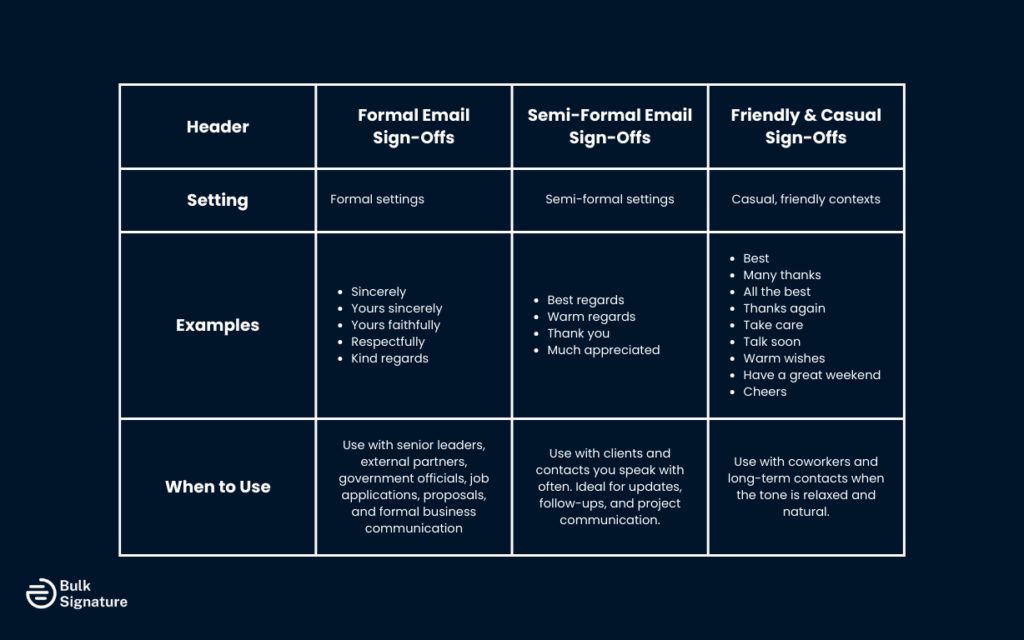
Formal Email Sign-Offs
Setting | Examples | When to Use |
Formal settings |
| Used when writing to senior leaders, external partners, government officials, or during job applications, proposals, and funding requests in a formal business environment. |
Semi-Formal Email Sign-Offs
Setting | Examples | When to Use |
Semi- formal settings |
| Used with clients and professional contacts you speak with regularly while maintaining a professional tone. Works well for updates, follow-ups, and project communication. |
Friendly and Casual Sign-Offs
Setting | Examples | When to Use |
Casual, friendly contexts |
| Best used with coworkers and long-term contacts where rapport already exists and the informal setting feels appropriate. |
Creative and Funny Email Sign-Offs for Work (Use Sparingly)
A personal touch can feel refreshing in the right moments, especially inside creative or internal teams.
Fun and Casual
- Stay awesome
- Onward and upward
- Keep shining
- Thanks a latte
- Fueled by coffee and determination
Seasonal
- Stay cool
- Happy Holidays
- Warm winter wishes
- Cheers to the new year
- Wishing you joy and success in the new year
Playful and Lightly Sarcastic
- Over and out
- *Insert clever sign-off here*
- Lukewarm regards
- Cold regards
These work best when tone and culture support them. For client-facing emails, it usually helps to steer clear of playful sign-offs.
Pairing Your Sign-Off With a Professional Email Signature
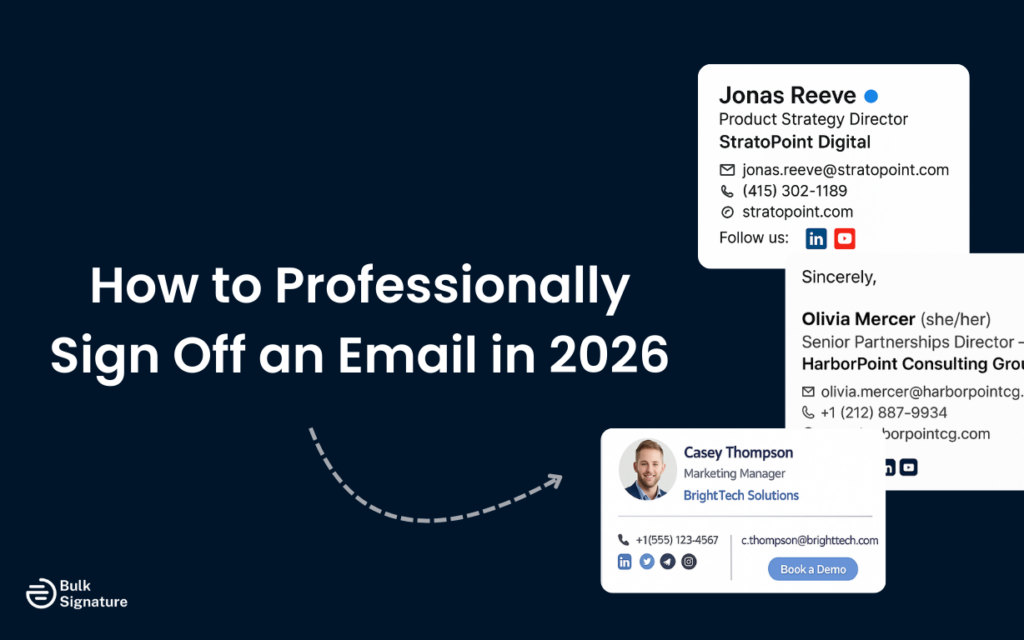
After your sign off, your professional email signature does the practical work. It shows who you are, where you work, and how someone can reach you again.
A clear email signature usually includes:
- Full name
- Job title
- Company name
- Relevant contact information
- Direct phone number
In larger teams, keeping professional email signatures consistent across the company is necessary to build trust. Outdated or missing contact details often slow further communication and create confusion.
A Centralized email signature software like BulkSignature makes it easier to manage email signatures across teams without relying on manual updates.
Common Email Sign-Off Mistakes
Small closing mistakes show up more often than people realize.
Using an Overly Casual Sign-Off in a Professional Setting
Phrases like “Stay awesome” or sarcastic humor often feel overly casual in client-facing communication.
Forgetting the Sign-Off Entirely
Ending a message without a closing can feel abrupt to the recipient.
Repeating the Same Sign-Off in Every Message
Using “Best regards” in every email thread can start to feel automatic. If you need to, switch it up to “Best,” “Best wishes,” or “All the best.”
Missing or Inaccurate Contact Details
Outdated phone numbers or missing relevant contact information make follow-up harder.
Visual Clutter
Large images or inconsistent formatting increase the risk of spam filtering and display issues.
A Practical Checklist for Choosing the Right Email Sign-Off
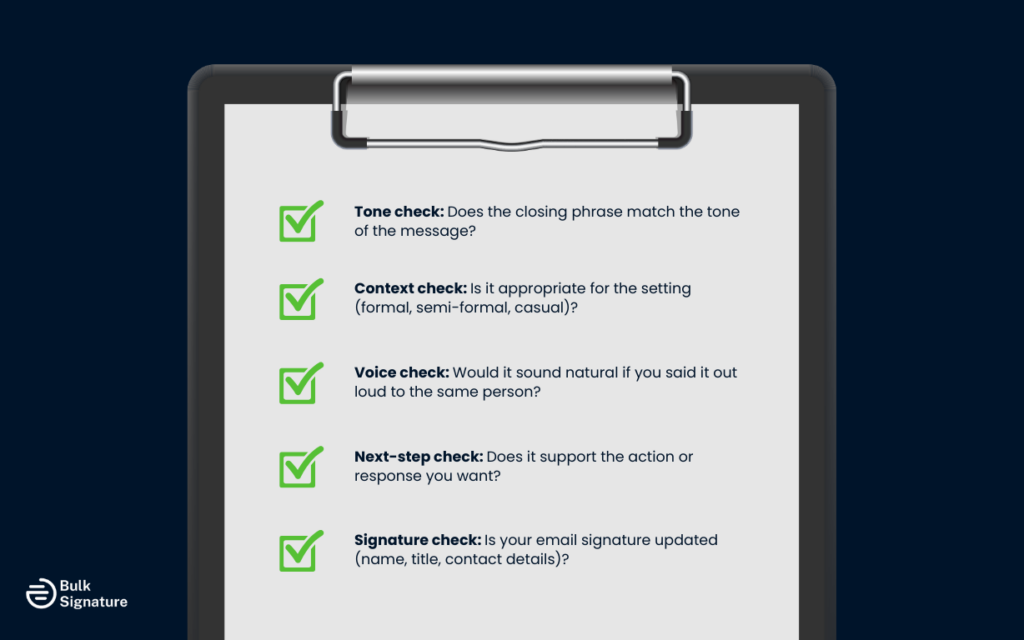
Before sending emails, a quick check keeps things clean and professional:
- Does the closing phrase fit the overall tone?
- Does it match the professional setting?
- Would it sound natural if spoken in the same conversation?
- Does it support the intended next steps?
- Does the email signature include updated contact details and job title?
This short pause is often the difference between an awkward sign-off and one that leaves a great impression.
Every Email Deserves a Good Ending
The way you sign off an email plays a lasting role in how your message is received. In business emails, internal communication, client updates, and sensitive situations, the right closing helps maintain a consistent professional tone.
Over time, those small choices shape how people experience your communication style and your brand as a whole.
As teams grow, keeping every email consistent becomes harder than it should be. BulkSignature helps you keep everyone’s sign-offs, contact details, and branding aligned automatically.
Book a free BulkSignature demo to see how your business can send more professional emails, protect its reputation, and save time across every team.
Frequently Asked Questions About Email Sign-Offs
What is the ideal professional sign-off?
The ideal sign-off depends on context, but “Best regards,” “Kind regards,” and “Sincerely” remain the safest professional email sign-offs for formal communication.
Which friendly sign-offs work well with colleagues?
For daily communication with close colleagues, options like “Thanks,” “Talk soon,” “All the best,” and “Warm regards” work well.
Which sign-off fits a job offer or phone screening follow-up?
After a phone screening or a job offer, a more formal approach, such as “Sincerely” or “Best regards,” is usually appropriate.
Which sign-offs should be avoided in formal business emails?
Avoid overly casual phrases such as “Stay awesome” in client-facing or sensitive professional exchanges.
What belongs after the sign-off?
Your professional email signature with full name, job title, company name, and contact details. Many organizations also include legal or compliance notices.


