
In the security and privacy space, both Proton Mail and Tuta stand out as leading encrypted email providers for anyone who wants full control over their email communications.
Both platforms promise end-to-end encryption, independent infrastructure, and strict user-first data policies. But their methods (and the kind of protection they deliver) are quite different.
If you’re evaluating which aligns best with your privacy priorities, read on for a detailed guide on how each platform works, what makes them different, and how to choose the service that best fits your email threat model.
Understanding the Two Services
So how exactly do Proton Mail and Tuta differ? Here’s a quick look at how each service works.
What Is Proton Mail?
Proton Mail is a secure email provider based in Switzerland (a country known for its extensive data protection and privacy laws).
Proton Mail was built by scientists from CERN, and it was designed around end-to-end encryption and zero-access architecture. This means that even Proton Mail’s own servers cannot read your emails.
In addition to Proton Mail, the Proton brand has expanded into a full privacy ecosystem, including:
- Proton VPN: A secure virtual private network for private browsing.
- Proton Drive: Encrypted cloud storage for documents.
- Proton Pass: A secure password manager.
- Proton Calendar: An encrypted scheduling tool.
This collection of tools helps Proton users keep communication, files, and credentials all under a single privacy-focused account.
From a usability standpoint, Proton apps are available for Android, iOS, and desktop web browsers. For desktop users, Proton Mail Bridge allows integration with third-party email clients (like Outlook, Thunderbird, and Apple Mail).
Notable Features and Functionalities:
- PGP encryption support, allowing you to exchange secure emails with users of other encrypted services.
- Custom domain options, so you can use your own business domain (like yourname@yourcompany.com).
- Advanced security features, such as expiring messages and two-factor authentication to protect your account.
- Built-in Proton VPN integration, which adds an extra layer of security for private, encrypted internet connections.
While Proton offers a generous free plan, advanced tools like auto forwarding, custom domains, and more storage are only available through its paid plans.
What Is Tuta?
Tuta (previously known as Tutanota) is a secure email provider based in Germany. Its name comes from the Latin “tuta,” meaning “secure,” and that mission extends across all of its products, which include:
- Encrypted Email: End-to-end protection for all messages and attachments.
- Secure Calendar: Automatically encrypts events, participants, and notes.
- Encrypted Contacts: Safely store names, emails, and phone numbers without exposing metadata.
Unlike most mail providers, Tuta is entirely open-source, meaning its codebase can be publicly reviewed.
Notable Features and Functionalities:
- Fully end-to-end encrypted mailbox, calendar, and contact storage.
- Custom domains and email aliases (in paid accounts).
- Catch-all addresses in business plans.
- Transparent open-source development.
Tuta also avoids storing unnecessary metadata, such as IP addresses, whenever possible. This makes it ideal for users with higher privacy needs, such as activists, journalists, and businesses handling highly sensitive data.
Core Security Model: Encryption and Authentication
When comparing Tuta vs Proton, the most meaningful differences appear in how each handles encryption, authentication, and data protection.
Both services deliver end-to-end encryption for emails, but their technical foundations and design philosophies differ significantly. Here’s how.
End-to-End Encryption Coverage
Both Tuta and Proton Mail use end-to-end encryption to protect data from unauthorized access.
However, the way they go about implementing this is completely different.
- Proton Mail uses the OpenPGP standard for encryption. This means emails are encrypted and decrypted using public and private key pairs generated for each user.
Messages between Proton users are automatically encrypted. And for emails to external recipients, Proton Mail can send an encrypted link protected by a shared password.
- Tuta takes a different approach by using its own encryption standard rather than PGP. Its system automatically encrypts everything (including subject lines, contact details, and the entire email thread) using AES and RSA-based algorithms.
The result is a secure email service that minimizes metadata exposure and simplifies the encryption process for users who prefer not to manage keys manually.
Here’s a quick look at how each service compares in terms of end-to-end encryption coverage.
Proton Mail vs Tuta: Encryption Coverage
| Feature | Proton Mail | Tuta |
|---|---|---|
| Encryption Coverage |
Encrypts message content and attachments, but not subject lines. Uses PGP encryption, allowing compatibility with other encrypted email services. End-to-end encrypted even within the Proton ecosystem (for example, between Proton Mail, Proton Calendar, and Proton Drive). Encryption is handled on the client side, meaning Proton Mail has zero access to user messages. |
Encrypts nearly all email metadata (except sender and recipient addresses). Handles encryption transparently, so there’s no need for manual key management or setup. Provides end-to-end encryption even when sending messages between Tuta and external recipients (via password-protected portals). |
2. Authentication and Key Management
When it comes to managing encryption keys and login security, Proton Mail offers more flexibility, while Tuta keeps things simpler and more automated.
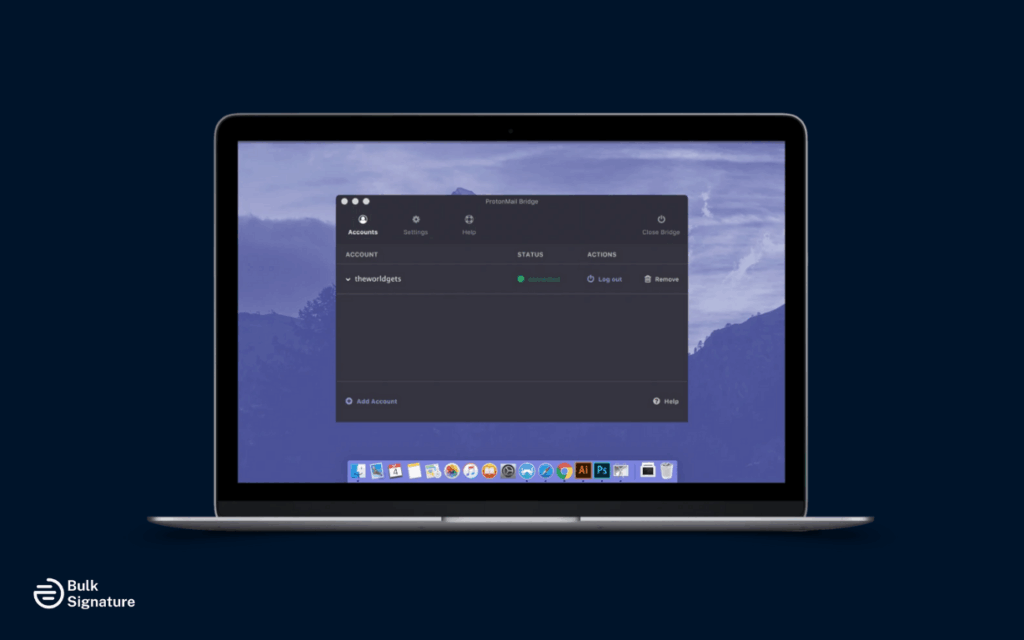
With Proton Mail Bridge, users can connect Proton Mail to third-party clients like Outlook or Apple Mail. The Bridge stores encryption keys locally, so messages stay secure even when accessed through external clients.
Tuta, on the other hand, doesn’t use any external apps or bridge software. All encryption and authentication happen directly inside Tuta’s own apps, keeping keys on the user’s device and minimizing setup steps or potential security risks.
3. Protection Against Metadata Leaks
Both Proton Mail and Tuta encrypt your emails, but the small bits of information that surround those emails (like IP addresses, timestamps, and routing data) can still reveal communication patterns.
Proton Mail reduces most of this exposure by not storing IP logs and anonymizing message headers whenever possible. However, some basic metadata (like sender and recipient addresses) is still needed to deliver messages.
Tuta goes a step further by not collecting IP addresses at all and encrypting more data fields, including subject lines and contact details. This makes it one of the strongest options for users who want to minimize digital traces or protect against metadata-based tracking.
4. Phishing and Spoofing Protections
Both Proton Mail and Tuta include strong tools to protect users from fake emails, identity spoofing, and unauthorized logins.
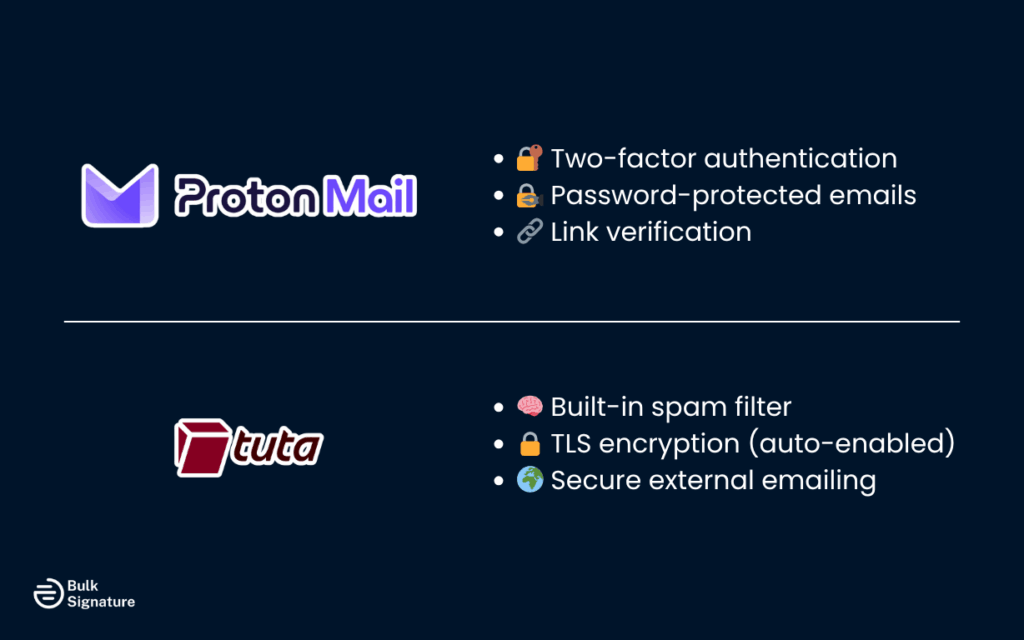
Proton Mail offers two-factor authentication, password-protected emails, and link verification to help users spot suspicious messages. Tuta provides built-in spam filtering and automatically uses TLS encryption, even when emailing people outside Tuta.
For even stronger protection, users can pair either service with Proton VPN or a privacy-focused browser to reduce exposure to phishing and tracking attempts.
Want to learn more about email spoofing and privacy? Check out our resources:
Which Secure Email Provider Fits Your Threat Model?
Choosing between Tuta and Proton Mail depends on what kind of risks or privacy concerns you’re most focused on.
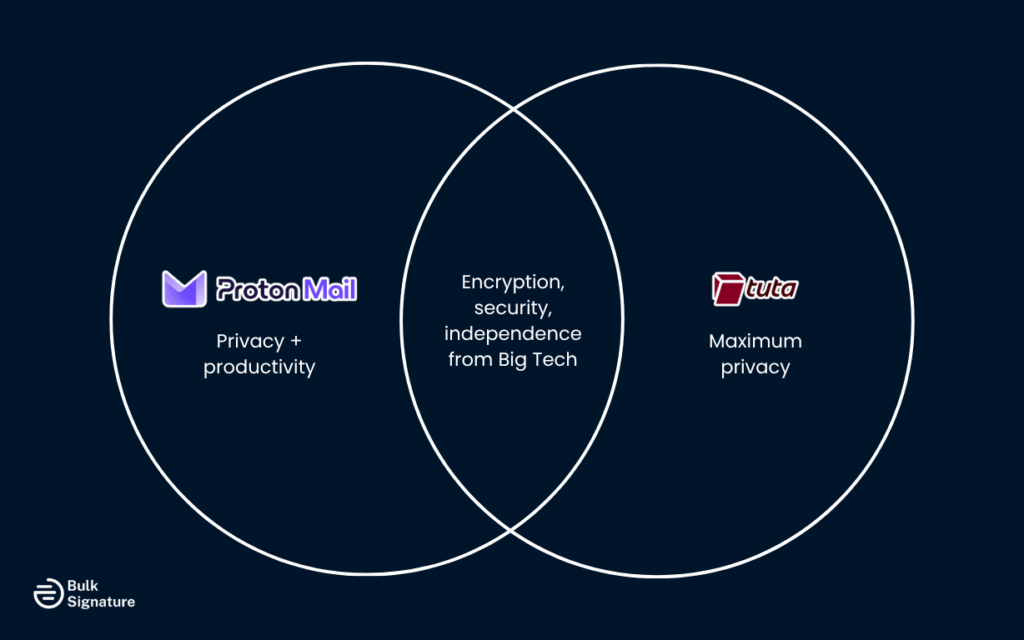
Both are very secure, but they do take different approaches that can affect:
- How easy they are to use.
- How much data they reveal.
- How well they work with other tools.
Here’s how to decide which one better matches your communication and security priorities.
If You’re Focused on Maximum Security and Privacy
If total privacy is your main goal, Tuta is one of the most secure, self-contained email options available.
It doesn’t rely on third-party apps, encrypts subject lines and contact details, and removes IP addresses from messages. This means very little data is exposed, even behind the scenes.
Choose Tuta if you want to:
- Avoid revealing metadata.
- Protect sensitive communication from surveillance or legal access.
- Stay independent from large providers like Google or Microsoft.
- Safeguard privacy in high-risk roles such as journalism, activism, law, or research.
Tuta automatically encrypts nearly every part of your emails, including entire message threads, so your communication stays protected from start to finish.
If Your Team Needs Privacy and Productivity
If you need both security and collaboration, Proton Mail offers a more flexible, business-ready setup. Its suite of tools (Proton Calendar, Proton Drive, and Proton Pass) supports encrypted scheduling, file storage, and password management in one account.
Choose Proton Mail if you need to:
- Manage custom domains, aliases, or shared team mailboxes.
- Use desktop clients like Outlook or Thunderbird via Proton Mail Bridge.
- Integrate email with productivity tools or cloud systems.
- Scale storage and features across free and paid versions.
Proton Mail may expose slightly more metadata than Tuta, but its strong encryption and PGP compatibility make it ideal for organizations that value privacy and interoperability.
If Your Business Manages Multiple Identities
For companies using several domains or team inboxes, Proton Mail offers:
- Catch-all addresses to route all emails to one inbox.
- Multiple inboxes for departments or individuals.
- Admin dashboards for centralized user and security management.
If You Want Control and Transparency
Proton Mail uses open-source encryption based on PGP, allowing third-party audits and public verification, making it the ideal choice for users who want to understand and trust the cryptography behind their tools.
Tuta relies on a proprietary encryption model that focuses on ease of use and automation. It’s fully secure but less transparent for users who prefer detailed technical visibility.
Choosing the Right Secure Email Provider for Your Workflow
Ultimately, the choice between Tuta and Proton Mail comes down to your privacy priorities, compliance requirements, and daily communication habits.
Choose Tuta if you…
- Want maximum privacy with full metadata encryption.
- Prefer simple, self-contained apps without third-party integrations.
- Work in roles or industries that demand strict confidentiality, such as journalism, law, or research.
Choose Proton Mail if…
- Need an encrypted email that integrates with desktop clients like Outlook or Apple Mail.
- Manage multiple domains, aliases, or team mailboxes.
- Want a balance of privacy and productivity with tools like Proton Drive, Calendar, and Pass.
Many organizations use Proton Mail or Tuta for sensitive messages, while relying on Gmail or Outlook for everyday communication. This approach helps keep confidential data secure without disrupting normal email workflows across teams.
Once you’ve secured your email environment, it’s equally important to strengthen your brand presence and compliance across every message that’s sent. And this is where a centralized email signature management software like BulkSignature can be a massive help.
Want to learn more? Book a free demo today to see how unified signature management can enhance trust, brand consistency, and compliance across all email communications.
Frequently Asked Questions About Tuta and Proton Mail
What are the most popular secure email providers?
The most popular secure email providers include Proton Mail, Tuta, StartMail, Mailfence, and Posteo. Each platform focuses on protecting your privacy, although they do differ in how easy they are to use and how well they work with other email tools.
Does Tuta have an offline mode?
Yes. Tuta offers offline access to your inbox and calendar through its desktop and mobile apps.
Is Proton Mail more user-friendly than Tuta?
Yes, Proton Mail is typically easier to use than Tuta. This is because Proton Mail looks and feels more like common email services, such as Gmail.


