
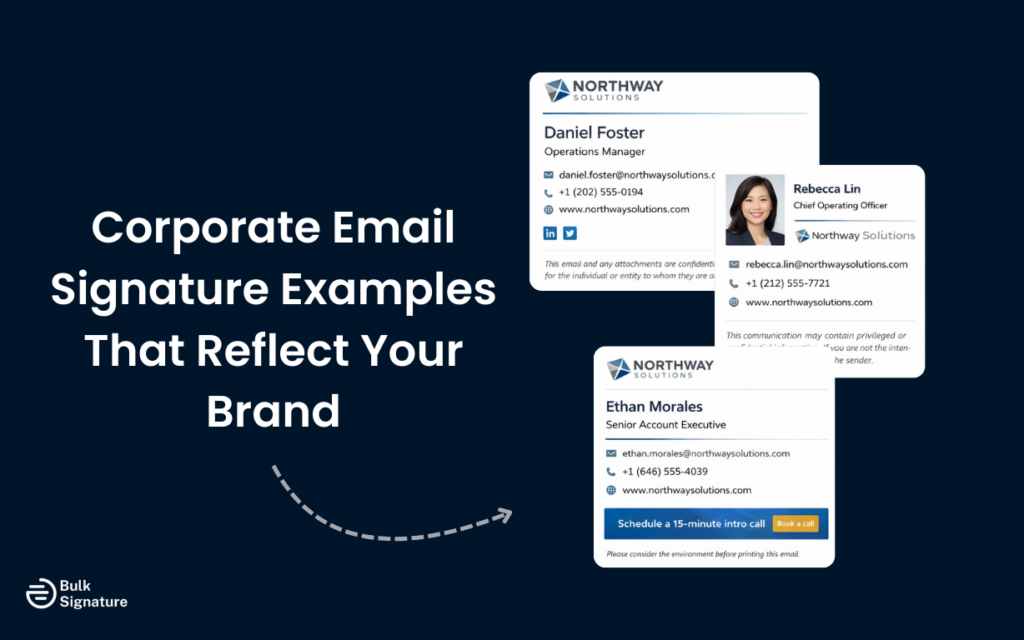
You’ve probably seen it before: Emails from the same company where one person has a polished, branded signature, another uses plain text, and someone else includes their outdated title or phone number.
It’s a small detail, but it still creates a nagging sense that something isn’t quite right.
If you’re worried this might be your business (don’t worry, we’ve all been there!), read on for real-world corporate email signature examples and practical guidance on how to fix it.
Let’s get to it!
What Makes a Corporate Email Signature Effective?
A corporate email signature differs from a personal email signature in several important ways.
While a personal signature might reflect your individual style or personal brand, a corporate signature must align with a company’s brand guidelines and maintain consistent branding across the entire organization. The ultimate goal is to make sure every email message, no matter who sends it, reflects the same level of credibility, clarity, and polish.
Corporate Email Signature Checklist
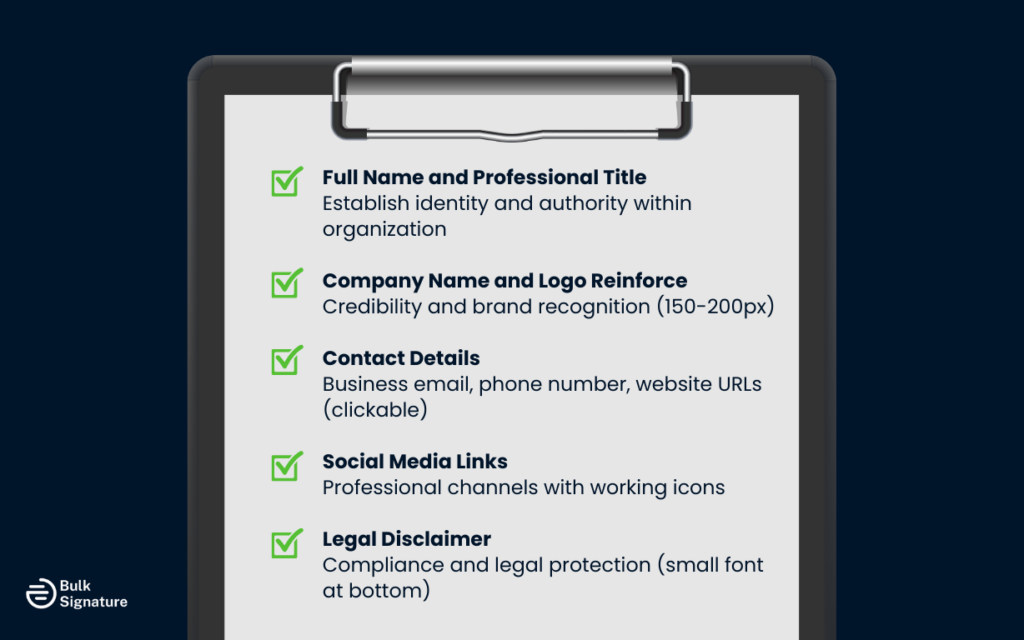
The most effective corporate email signatures share several characteristics. Here’s a checklist of all the essential elements that should be included in a basic email signature:
- Full name and professional title: This is what establishes your identity and authority within the organization. Use your full name as it appears in official company directories, followed by your job title on a separate line.
- Company name and logo: This reinforces credibility and brand recognition. Make sure to keep the logo appropriately sized (typically 150–200 pixels high) and include the company name as live text.
- Contact details: This makes it easy for recipients to reach you. Make sure to include your business email, direct phone number or line, and company website URLs as clickable links.
- Social media channel links: These help extend the conversation beyond email. The best way to do this is by adding icons that link to relevant company social channels or professional accounts, and make sure to double-check that all links work correctly.
- Email or legal disclaimer: This supports compliance goals and protects the organization from legal risk. Place any required legal language at the bottom of the signature in a smaller, unobtrusive font size.
Pro Tip: When it comes to company-wide email signatures, consistency matters more than creativity. It’s better for every employee to use a clean, standardized signature than for each person to customize their own version (even if those individual designs look good on their own).
Corporate Email Signature Examples by Role and Industry
Different roles within an organization may require different approaches to signature design. Here are several personalized email signature examples that show how to adapt the basic structure for different contexts.
Executive Leadership Signatures
Executive signatures often include a professional headshot to add a personal touch and make the communication feel more direct.

These signatures typically feature the executive’s full name, professional title, and direct line, along with the company logo and website links.
The design should convey authority while remaining approachable. Some executive signatures also include links to recent media appearances or company announcements, though this should be used sparingly to avoid clutter.
Sales and Business Development Signatures
Sales team signatures benefit from including a call to action that encourages recipients to take the next step. This might be a link to schedule a meeting, download a resource, or view a product demo.

These signatures also often incorporate promotional banners that can be updated to support marketing campaigns or highlight new offerings. The key is to strike a balance between making the call to action clear, without making the signature feel overly promotional.
For more inspiration on incorporating promotional elements in email signatures, check out: What Is an Email Signature Ad, and How Can You Use It for Marketing?
Customer Support and Service Signatures
Support team signatures should always prioritize accessibility and clarity, making sure to include multiple contact options so customers can reach you through their preferred channel (such as email, phone, or a support portal).
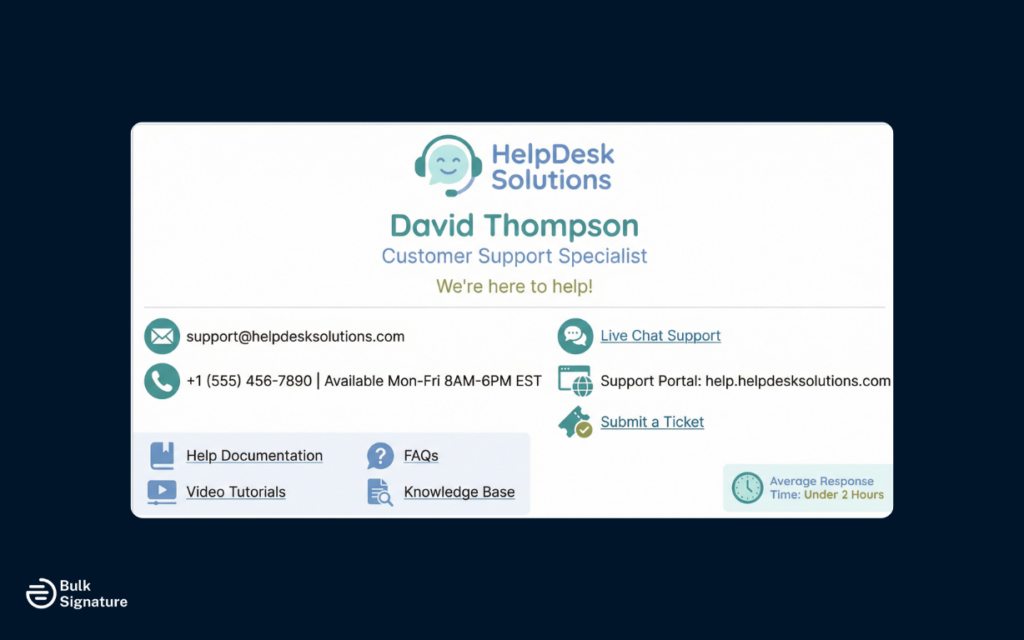
These signatures also often include links to help documentation, FAQs, or knowledge bases. The tone should be helpful and approachable, reinforcing that the company is available to assist.
Creative and Marketing Team Signatures
Marketing team signatures can be a lot more flexible and creative, but they should still maintain brand consistency across team members.

This is the best type of signature to incorporate subtle visual elements like a small promotional banner, campaign link, or light animation (used intentionally, not excessively). Bear in mind, though, that the core layout and contact details should still match the rest of the organization, with creative elements integrated subtly.
Pro Tip: Any animated email signatures or visuals should be tested carefully to make sure they display correctly across major email clients, without triggering spam filters.
Core Design Principles for Business Email Signatures
Creating email signatures that work across your organization is more than just good design. Different email clients, devices, and accessibility requirements all affect how signatures display, which is why strong corporate email signatures follow a few core principles that balance branding, usability, and technical reliability.
The following table outlines the four most important design principles to prioritize.
4 Key Design Principles for Corporate Email Signature Templates
Design Principle | Why It Matters | Best Practices |
Maintaining brand consistency | Guarantees that every email reflects a unified, professional brand identity across an entire organization. | Use approved brand colors, fonts, and logo treatments. Keep visual elements consistent so emails from different team members feel instantly recognizable. |
Optimizing for mobile devices | Many emails are opened on phones, and poor mobile formatting can hurt readability and accessibility. | Test signatures on multiple screen sizes and platforms. Make sure text is readable and links, phone numbers, and icons are easy to tap. |
Balancing information and simplicity | Overloaded signatures can feel cluttered and make key details harder to find. | Limit signatures to no more than 10 lines of text plus a logo or icons. Only include essential contact and business information. In general, aim to follow the Web Content Accessibility Guidelines (WCAG) guidelines to make sure your signature remains readable, accessible, and usable for all recipients across devices and assistive technologies. |
Technical considerations for optimal display | Different email clients render HTML code differently, which can cause formatting issues. | Use simple HTML with inline CSS. Avoid overly complex layouts or design elements. Test across Gmail, Microsoft Outlook, Apple Mail, and mobile email apps. |
How BulkSignature Supports Corporate Email Signature Management
Even with clear design guidelines, it can be difficult to manually manage email signatures across an entire organization.
This is where more advanced email signature management solutions (like BulkSignature) can make a massive difference for your team, helping you:
- Maintain consistent branding across all employee email communication.
- Deploy signatures automatically to every user, no manual setup required.
- Update signatures instantly when roles, contact details, or branding change.
- Add banners or calls to action that support marketing campaigns.
- Make sure signatures are compatible across email clients, including Outlook, Gmail, and Apple Mail.
- Eliminate outdated or broken signatures caused by manual updates.
- Create role- or department-specific templates while maintaining overall brand consistency.
- Manage everything centrally, so employees don’t need to edit signatures themselves.
With centralized control, updates happen once and apply everywhere, resulting in clean, on-brand signatures that scale effortlessly as your organization grows.
Common Pitfalls of Corporate Email Signature Design
We’ve covered a lot of ground on what you should do when setting up your corporate email signatures, but it can also be helpful to know what can potentially go wrong.
Here’s a quick look at some of the most common pitfalls companies run into when managing email signatures across teams and departments.
Common Pitfall #1: Inconsistent Implementation Across the Organization (Resulting in Fragmented Branding)
The most common pitfall is providing basic guidelines, but allowing each employee to create their own signature without clear guidelines. This results in some people using the company logo while others don’t, different font choices and brand colors, and varying levels of information detail. The lack of brand consistency across emails makes the organization appear less professional and undermines long-term brand recognition and reputation.
Common Pitfall #2: Overcomplicating the Design (Resulting in Cluttered Signatures)
Some organizations take things too far by adding too many elements, like irrelevant social media icons, several different phone numbers, quotes, email disclaimers, and a lot of promotional content.
Less really is more here, as too much visual clutter can make it harder for recipients to find the essential elements they need. A professional signature should be clean and focused, providing key contact information without overwhelming recipients.
For more practical layout tips, read this: Email Signature Size and Layout Tips
Common Pitfall #3: Neglecting Mobile Optimization (Resulting in Poor Readability)
Many corporate signatures are designed on desktop computers without testing how they appear on mobile devices. Given that a significant portion of business email is now read on phones and tablets, this oversight can be costly.
Signatures that aren’t email signature mobile-friendly may have text that’s too small to read, images that don’t scale properly, or clickable links that are difficult to tap accurately.
Common Pitfall #4: Failing to Update Regularly (Resulting in Confusion)
Email signatures only work if they’re accurate. When roles change, phone numbers get updated, or teams shift, signatures should change right along with them, but that doesn’t always happen. Add in a rebrand or new marketing materials, and things can get outdated fast.
Without a centralized way to manage updates, old titles, broken links, and incorrect details tend to stick around much longer than they should. The result is confusion for recipients and a subtle hit to your company’s professionalism.
Taking the Next Step With Your Corporate Email Signature Strategy
Your corporate email signature may feel like a small, insignificant part of your communications strategy. But it actually carries a lot of weight, showing up in every email you send and signaling to recipients how professional, credible, and consistent your company really is.
So if you’re ready to say goodbye to manual updates and hello to centralized email signature control, we’d love to help!
Book a free demo with us today to see how centralized email signature management can help you improve brand consistency and strengthen professional communications across your entire organization.
Frequently Asked Questions About Corporate Email Signatures
How do company email signatures impact a company’s brand image?
Company email signatures are part of how your brand shows up every day. They appear in every message your team sends, so when they’re clean and consistent, they reinforce professionalism and attention to detail. And when they’re inconsistent or outdated, they can chip away at your brand image.
Can email signatures really leave a lasting impression?
Yes, mostly because people see them over and over again. A single email signature might not stand out, but consistent exposure builds familiarity and trust. Over time, a polished signature helps people remember your brand and makes your company feel more credible.
What are professional email signature templates?
Professional email signature templates are ready-made layouts that follow best practices for branding and readability. They give teams a clear structure for names, titles, logos, and contact details, making it easy to look polished without designing a signature from scratch.
Should I use a free email signature generator?
Free email signature generators can work well for individuals or very small teams that just need something quick. But as your team grows, they become a lot harder to manage. Keeping signatures consistent and up to date is much easier with a centralized approach (using tools like BulkSignature) rather than relying on free tools and manual updates.


