
WiseStamp is a popular email signature tool for a reason. Its signature editor is easy to use, the templates look polished, and it works well for individuals, small teams, and companies that care most about branded signature design.
But many teams start looking for a WiseStamp alternative when the problem becomes less about creating a nice-looking signature and more about managing signatures across the company.
That usually comes down to a few things:
- employee details need to stay accurate without manual updates
- IT wants central control over every user’s signature
- marketing wants to update banners without relying on employees
- legal or compliance teams need consistent disclaimers
- the pricing model becomes harder to predict as headcount grows
- the company needs a stronger fit for Google Workspace, Microsoft 365, Exchange, or EU data requirements
If that sounds familiar, this guide compares seven WiseStamp alternatives by platform fit, admin control, directory sync, campaign features, pricing style, and best-fit use case.
Pricing and feature packaging change often. Use the pricing notes below as directional and confirm current details on each vendor’s site before buying.
Quick Answer: The best WiseStamp alternatives in 2026 are BulkSignature for centralized, directory-synced signature management across Google Workspace and Microsoft 365; CodeTwo and Exclaimer for Microsoft 365-first teams; Letsignit for IT-and-marketing collaboration; Xink for EU data residency and hybrid Exchange; Newoldstamp for marketing-led SMBs; and MySignature for individuals. The right pick comes down to one question: do you need a better signature designer, or a better way to manage signatures across the company?
The short version
If your team has outgrown WiseStamp because you need centralized control, directory-synced employee details, campaign banners, role-based management, and predictable per-user pricing, BulkSignature is the strongest fit.
If you are Microsoft 365-first, CodeTwo is a strong value pick and Exclaimer is better for enterprise governance. Letsignit works well when IT and marketing both need control. Xink is worth considering for EU data residency or hybrid Exchange environments. Newoldstamp is better for marketing-led SMBs that care most about design and campaigns. MySignature is a lighter option for individuals and small teams that mainly want a clean signature builder.
| Tool | Best for | Platform fit | Pricing style | Main strength | Main trade-off |
|---|---|---|---|---|---|
| BulkSignature | Centralized team signature management | Google Workspace + Microsoft 365 | Per-user pricing | Directory sync, admin control, banners, roles | Not meant for solo personal signatures |
| CodeTwo | Microsoft 365-first teams | Microsoft 365 / Exchange | Per-user, volume-based | Strong Outlook and Exchange fit | Less relevant for Google-first teams |
| Exclaimer | Enterprise governance | Microsoft 365 + Google Workspace | Tiered / enterprise pricing | Multi-brand control, compliance, analytics | More complex for smaller teams |
| Letsignit | IT + marketing collaboration | Microsoft 365 + Google Workspace | Quote-based | Governance plus campaign management | Pricing is not fully self-serve |
| Xink | EU data residency and hybrid Exchange | Microsoft 365 / Exchange + Google Workspace | Per-user / plan-based | EU focus, hybrid support | Interface may feel less modern |
| Newoldstamp | Marketing-led SMBs | Google Workspace + Microsoft 365 | Plan-based | Templates, banners, campaign analytics | Lighter IT governance |
| MySignature | Individuals and small teams | Gmail, Outlook, Apple Mail, others | Plan-based | Simple design-first signature creation | Not built for deep central admin control |
1. BulkSignature — best for centralized team signature management
BulkSignature is the best WiseStamp alternative for teams whose signature problem has become operational.
If the issue is only “we need a nice-looking email signature,” a simple editor may be enough. But once a company needs every employee signature to stay accurate, branded, compliant, and campaign-ready, the requirements change.
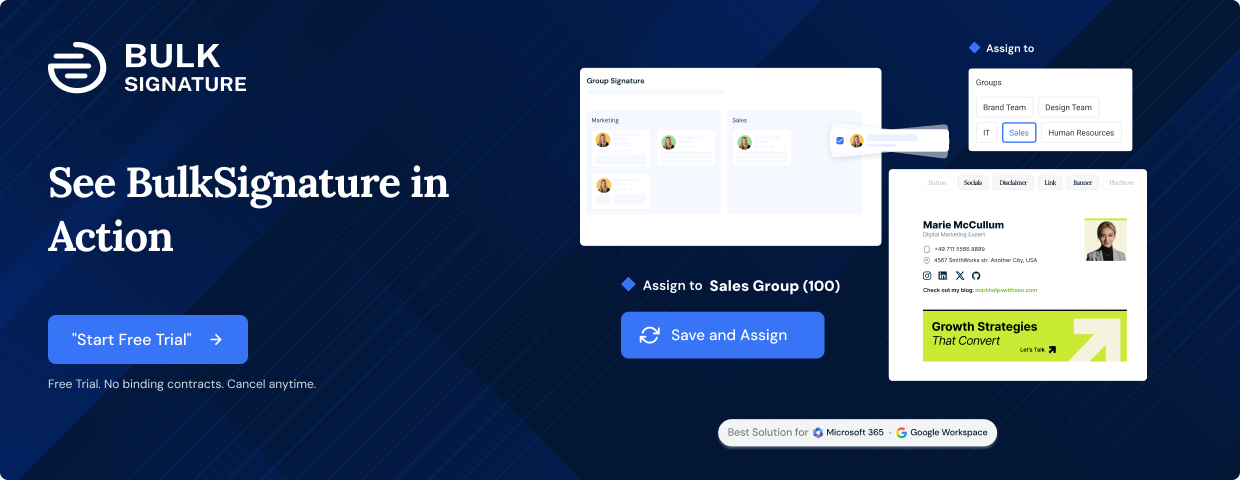
BulkSignature is built around centralized email signature management for Google Workspace and Microsoft 365. Admins can create approved templates, sync employee details from the company directory, assign signatures by group or department, and deploy updates company-wide from one dashboard. Marketing can manage campaign banners and track performance, while IT keeps control over permissions and deployment.
That makes BulkSignature especially strong for teams that do not want to chase employees to update their own signatures manually.
Where BulkSignature is different from WiseStamp is the operating model. WiseStamp is strong for design-led signature creation and branded templates. BulkSignature is stronger when the company needs directory-driven control, role-based administration, organization-wide deployment, and predictable management as headcount grows.
Best for: Google Workspace and Microsoft 365 teams that want centralized control over employee signatures, banners, templates, and directory-based updates.
Why choose BulkSignature:
- Central dashboard for company-wide signature management
- Google Workspace and Microsoft 365 support
- Directory-synced employee information
- Approved templates for consistent branding
- Group or department-based signature assignment
- Campaign banners with performance tracking
- Role-based permissions for IT and marketing teams
- Better fit for growing teams than manual employee-by-employee updates
Watch-outs:
BulkSignature is built for organizations, not solo users. If you only need a personal email signature for yourself, a lighter signature builder may be enough.
Skip it if:
You are a freelancer, creator, or two-person team that only needs a quick personal signature design.
Best next step:
If you are directly comparing the two tools, read the dedicated BulkSignature vs WiseStamp comparison.
2. CodeTwo — best for Microsoft 365-first teams
CodeTwo Email Signatures 365 is one of the strongest WiseStamp alternatives for companies that are fully committed to Microsoft 365, Outlook, and Exchange Online.
Its biggest advantage is Microsoft depth. CodeTwo is designed around centralized signature management for Microsoft environments, including server-side signature deployment. That helps companies keep signatures consistent across Outlook desktop, Outlook web, and mobile email clients.
For Microsoft-first teams, CodeTwo can be a practical choice because it focuses heavily on the platform where they already work. It is especially relevant for IT teams that want reliable deployment and strong Exchange Online compatibility.
The trade-off is that CodeTwo is not the best fit for every environment. If your company is Google Workspace-first, or if you want one platform that feels equally natural across Google Workspace and Microsoft 365, you should compare it carefully against broader tools.
Best for: Microsoft 365 and Exchange-first organizations that want centralized signature deployment.
Why choose CodeTwo:
- Strong Microsoft 365 and Exchange Online fit
- Server-side signature deployment
- Good Outlook compatibility
- Centralized signature management
- Strong option for IT-led Microsoft environments
- Often considered a value-focused Microsoft 365 option
Watch-outs:
CodeTwo is strongest in Microsoft environments. Google Workspace support and workflows may not be the main reason to choose it.
Skip it if:
Your company is Google Workspace-first or needs an equally strong cross-platform workflow.
See our full list of CodeTwo alternatives.
3. Exclaimer — best for enterprise governance
Exclaimer is one of the most established names in email signature management. It is often used by larger organizations that need centralized branding, compliance controls, campaign features, approval workflows, and deeper governance.
If WiseStamp starts to feel too light for a large, multi-brand, or regulated organization, Exclaimer is a serious alternative to evaluate. It supports both Microsoft 365 and Google Workspace and is built for companies with more complex signature requirements.
Exclaimer is strongest when the organization needs more than signature design. It can support brand governance, disclaimers, department-level controls, analytics, and enterprise-style administration.
The trade-off is complexity. Smaller companies may find Exclaimer more advanced than they need, especially if they want a simpler setup and clearer cost structure.
Best for: Enterprise teams that need advanced governance, compliance, and multi-brand signature control.
Why choose Exclaimer:
- Strong enterprise reputation
- Microsoft 365 and Google Workspace support
- Centralized signature and disclaimer management
- Multi-brand and department-level control
- Campaign and analytics features
- Good fit for larger or regulated organizations
Watch-outs:
Exclaimer can be more complex and expensive than lighter tools. It may be overkill for smaller teams that only need straightforward centralized signature management.
Skip it if:
You want a simple, lean, self-serve option for a small or mid-sized team.
See our full list of Exclaimer alternatives.
4. Letsignit — best for IT and marketing collaboration
Letsignit is a good WiseStamp alternative for companies where both IT and marketing need to manage email signatures.
IT usually cares about deployment, permissions, directory sync, security, and compliance. Marketing cares about banners, campaigns, segmentation, brand consistency, and analytics. Letsignit sits between those two needs.
It supports Microsoft 365 and Google Workspace, and it is often positioned for mid-market and larger companies that want governance and campaign management in the same platform.
The main drawback is commercial transparency. Letsignit is more sales-led than some lower-cost or self-serve tools, so buyers may need to speak with sales before they can clearly compare pricing and packaging.
Best for: Mid-market teams where IT and marketing both need control over email signatures.
Why choose Letsignit:
- Supports Microsoft 365 and Google Workspace
- Designed for IT and marketing collaboration
- Directory-connected signature management
- Campaign banners and targeting
- Governance and permissions features
- Good fit for larger teams with multiple stakeholders
Watch-outs:
Pricing is typically quote-based or plan-dependent, so it is harder to compare quickly without a sales conversation.
Skip it if:
You want fully transparent pricing and a fast self-serve buying process.
See our full list of Letsignit alternatives.
5. Xink — best for EU data residency and hybrid Exchange environments
Xink is a Danish email signature management provider that is especially relevant for companies with European privacy needs, regional compliance requirements, or complex Exchange environments.
It is not the flashiest tool in the category, but that is not necessarily the point. Xink is worth considering when the buying requirement is less about design polish and more about data residency, hybrid Exchange support, localization, and centralized control across more complex mail setups.
For organizations with EU data concerns, hybrid Exchange, on-premises Exchange, or legacy infrastructure, Xink may handle scenarios that lighter signature tools are not built for.
The trade-off is user experience. Teams that want a modern, design-led, self-serve interface may prefer a newer or more marketing-focused platform.
Best for: EU-focused organizations, privacy-sensitive companies, and teams with hybrid or legacy Exchange environments.
Why choose Xink:
- European provider
- Useful for EU data-residency requirements
- Hybrid and on-premises Exchange support
- Centralized signature management
- Multi-language and regional signature use cases
- Good fit for privacy-sensitive organizations
Watch-outs:
The interface and workflow may feel less modern than design-first or newer SaaS tools.
Skip it if:
Your top priorities are visual polish, modern UX, and a quick self-serve setup.
6. Newoldstamp — best for marketing-led SMBs
Newoldstamp is a strong option if the reason you like WiseStamp is design, branding, and marketing.
It focuses on branded templates, signature banners, campaign analytics, and email signature presentation. That makes it a good fit for marketing-led small and mid-sized businesses that treat email signatures as a brand and campaign channel.
Compared with admin-first tools, Newoldstamp feels closer to WiseStamp’s design and marketing side. It is useful when teams want attractive signatures and campaign visibility without moving into heavier enterprise systems.
The trade-off is IT governance. If your company needs deep directory-driven deployment, strict role-based permissions, advanced compliance workflows, or complex admin control, Newoldstamp may not be the strongest fit.
Best for: SMBs and marketing teams that care most about branded signature design and campaigns.
Why choose Newoldstamp:
- Strong signature template customization
- Good marketing and banner features
- Campaign analytics
- Supports Google Workspace and Microsoft 365
- Better fit for brand-focused SMBs than heavy IT-led enterprises
Watch-outs:
It is lighter on deep IT governance and enterprise control than admin-first platforms.
Skip it if:
Your main problem is centralized directory sync, compliance control, and organization-wide deployment.
See our full list of Newoldstamp alternatives.
7. MySignature — best for individuals and small teams that want simple signature design
MySignature is a lighter WiseStamp alternative for people who mainly want a clean, easy way to create professional email signatures.
It is useful for freelancers, creators, consultants, sales reps, and small teams that want a polished signature without a complex admin system. It supports common email clients and focuses on design, templates, and ease of use.
That makes it a good alternative if your problem is personal signature creation, not company-wide signature operations.
But MySignature is not the right fit if your organization needs directory sync, group-based deployment, role-based permissions, compliance control, or campaign governance across many employees. In that case, an admin-first platform like BulkSignature, CodeTwo, Exclaimer, or Letsignit will be more relevant.
Best for: Individuals, freelancers, and small teams that want a simple design-first signature tool.
Why choose MySignature:
- Easy to use
- Good for personal signatures
- Simple templates
- Works across common email clients
- Better fit for individuals than complex admin platforms
Watch-outs:
It is not built for deep centralized company-wide signature management.
Skip it if:
You need IT-controlled deployment, directory sync, group assignments, compliance disclaimers, or campaign analytics at scale.
See our full list of MySignature alternatives.
How to choose the right WiseStamp alternative
The best WiseStamp alternative depends on why you are leaving WiseStamp in the first place.
If your team only wants nicer signature designs, choose a design-first tool. If your company needs consistent, accurate, centrally managed signatures across many employees, choose an admin-first platform.
Use this decision framework:
- Choose BulkSignature if you want centralized control, directory-synced employee details, campaign banners, role-based permissions, and support for both Google Workspace and Microsoft 365.
- Choose CodeTwo if your company is Microsoft 365-first and wants strong Outlook and Exchange Online deployment.
- Choose Exclaimer if you are a larger enterprise that needs advanced governance, multi-brand control, compliance, and analytics.
- Choose Letsignit if IT and marketing both need to manage signature workflows.
- Choose Xink if EU data residency, hybrid Exchange, or privacy-sensitive infrastructure is a major requirement.
- Choose Newoldstamp if your marketing team mainly wants branded templates, banners, and campaign tracking.
- Choose MySignature if you are an individual or small team that only needs a simple personal signature builder.
The most important question is not “which tool has the most features?”
It is:
Do you need a better signature designer, or do you need a better way to manage signatures across the company?
If the answer is company-wide management, BulkSignature is the strongest fit for teams that want admin control without turning every signature update into an employee-by-employee task.
When WiseStamp may still be the right choice
WiseStamp can still be a good fit if your team values its template editor, design flexibility, social profile elements, and marketing-friendly signature features.
If you already use WiseStamp, your employees are comfortable with it, and the pricing model works for your company, there may be no urgent reason to switch.
WiseStamp is most likely to remain a good choice when:
- your main priority is signature design
- your team is small
- employees can manage some of their own signature setup
- you do not need complex directory-driven deployment
- you do not need strict role-based admin control
- you are comfortable with the current pricing and feature packaging
The teams that benefit most from switching are usually the ones that need stronger central control, automatic employee-data updates, predictable scaling, platform-specific fit, or compliance and campaign governance.
FAQ
What is the best WiseStamp alternative?
The best WiseStamp alternative depends on your use case. BulkSignature is the strongest fit for teams that need centralized control, directory-synced employee details, campaign banners, and company-wide deployment across Google Workspace and Microsoft 365. CodeTwo is a strong Microsoft 365 option, Exclaimer fits enterprise governance, and Newoldstamp or MySignature may work better for design-first needs.
Is there a cheaper alternative to WiseStamp?
Yes, several WiseStamp alternatives use per-user or plan-based pricing that may be more predictable as your company grows. BulkSignature, CodeTwo, Xink, Newoldstamp, and MySignature all use different pricing models, so compare the full cost based on your required features, number of users, platform, and whether you need advanced admin controls. Always verify current pricing before buying.
What is the best WiseStamp alternative for Google Workspace?
BulkSignature is a strong WiseStamp alternative for Google Workspace teams that want centralized signature management, directory-synced employee details, group-based assignment, and campaign banners. If your needs are mostly personal signature design, a lighter signature builder may be enough. If your needs are company-wide control, choose an admin-first platform.
What is the best WiseStamp alternative for Microsoft 365 or Outlook?
CodeTwo and Exclaimer are two of the most Microsoft 365-focused WiseStamp alternatives. BulkSignature and Letsignit also support Microsoft 365 alongside Google Workspace, so they are worth comparing if your organization needs cross-platform signature management.
Do WiseStamp alternatives let admins manage employee signatures centrally?
Yes. Business-grade WiseStamp alternatives usually let admins create approved templates, manage employee details, and deploy signatures across users. The depth varies by tool. Some focus on design and templates, while others focus on directory sync, role-based permissions, compliance, server-side deployment, and campaign analytics.
Should I choose a design-first or admin-first email signature tool?
Choose a design-first tool if your main goal is creating attractive signatures quickly. Choose an admin-first platform if your company needs accurate employee data, consistent templates, legal disclaimers, campaign banners, directory sync, and centralized deployment across many users.
How hard is it to switch from WiseStamp?
Switching difficulty depends on your team size, email platform, and deployment method. Small teams can often switch quickly. Larger organizations should plan a rollout that includes template approval, directory sync, group assignment, test users, and final deployment. The safest approach is to pilot the new tool with a small group before rolling it out company-wide.
Ready to manage company-wide signatures from one place?
BulkSignature helps Google Workspace and Microsoft 365 teams manage email signatures centrally. Sync employee details from your directory, assign approved templates by team or group, run campaign banners, and keep every signature accurate without chasing employees for manual updates.


